CCTV & Video Monitoring · 24/7/365

Remote Video Monitoring in Toronto & the GTA

Remote video monitoring means a trained person watches your cameras live and acts when something is wrong, instead of footage sitting on a recorder until after the damage is done. Secure 24 Seven monitors CCTV for sites across Toronto and the GTA, verifies each event, and backs the screen with licensed guards and immediate alarm-response dispatch.

Call Us 24/7

How Monitoring Works

Detect. Verify. Respond.

Cameras are only sensors. What protects a site is the chain behind them — and how quickly a real event moves from pixel to person.

01

Detect

Motion zones and analytics are drawn around what matters — the fence line, the dock doors, the laydown area — and scheduled around your working hours, so a forklift at 2 p.m. is routine and a figure at 2 a.m. is an event.

  • Zones and schedules set per camera
  • Rules tuned to cut nuisance triggers
  • Camera health and offline checks
02

Verify

An operator looks at the live view and the clip that triggered it. Wind-blown tarp, raccoon or authorized night crew? It is logged and closed. A person testing doors? It moves straight to response with the facts attached.

  • Live view plus the triggering clip
  • Checked against your authorized-access list
  • What, where, how many, which direction
03

Respond

The escalation ladder is agreed with you in advance and written down: a Secure 24 Seven guard dispatched immediately, a call to your keyholder, and police when a crime is in progress.

  • Guard dispatch with live updates
  • Keyholder and police notification
  • Digital incident report with images

Live vs. Recorded

Proactive monitoring vs. recorded-only CCTV

Recorded footage is valuable evidence. It just does not interrupt anything. Here is the practical difference.

QuestionRecorded-only CCTVProactive monitoring
Who is watching at 3 a.m.?No one, until someone reviews the recorderA trained operator receiving your camera events
When do you find out?The next morning, when staff arriveWhile it is happening
What happens next?You search hours of footage for the momentA pre-agreed response: warning, guard, keyholder, police
False alarmsNot applicable — nothing is acted onFiltered by a person before anyone is sent
EvidenceWhatever the cameras happened to catchClips flagged in real time, plus a written incident report
Best suited toLow-risk areas and investigations after the factUnstaffed hours, open yards, repeat targets

Camera Placement

Where cameras earn their keep

A camera has to be the right distance and angle for the job it is given. Detecting a person on a fence line needs far fewer pixels than recognizing a face at a door. We review placement against each camera’s task before monitoring starts.

BUILDING DOCK DOORS PARKING YARD GATE 1 2 3 4 5 6
Illustrative plan only. Every site is assessed on its own layout, lighting and risks.
  1. 1

    Vehicle gate

    Aimed tight at the choke point, where every vehicle and person must pass. The goal is identification, so this camera is close and narrow, with lighting for night-time plates and faces.

  2. 2

    Dock apron

    Covers the bays and the trailer area in front of them. Observation-level detail is enough to see who is handling what and which door they came from.

  3. 3

    Fence line

    Long, shallow view along the perimeter for detection. It does not need faces — it needs to show that someone has crossed the line.

  4. 4

    Side entrance

    Mounted near head height and pointed into the doorway, not across it, so anyone entering faces the lens.

  5. 5

    Parking

    Wide coverage of rows and the path to the door for vehicle break-ins, catalytic-converter theft and loitering after hours.

  6. 6

    Yard & laydown

    Watches stored materials and equipment, the zones most likely to be targeted when the site is empty.

The detail-level rule of thumb

Detect

Is someone there?

about 25 px per metre
Observe

What are they doing?

about 62.5 px per metre
Recognize

Have we seen them before?

about 125 px per metre
Identify

Who exactly is it?

about 250 px per metre

Approximate pixel densities from the video surveillance standard EN 62676-4 (IEC 62676-4), widely used as a planning guide.

Privacy & Signage

Cameras people know about, used for the reason you gave

Ontario has no general private-sector privacy law of its own, so a business collecting video in the course of commercial activity is generally covered by the federal Personal Information Protection and Electronic Documents Act (PIPEDA). The Information and Privacy Commissioner of Ontario’s video surveillance guidelines are written for public institutions such as municipalities and schools.

The federal, Alberta and B.C. privacy commissioners’ joint guidelines for overt video surveillance in the private sector set out the habits below. We build monitoring around them — and a privacy lawyer is the right call for your specific obligations.

This area is monitored by video cameras

Recorded for the safety of people and property. Questions or requests: [your contact name, phone or email]

  1. A
    Notice before entry. Post clear signs where people see them before they enter the monitored area, with a contact for questions.
  2. B
    A real purpose. Use cameras for reasons a reasonable person would consider appropriate, and consider whether a less invasive measure would do the job.
  3. C
    Point away from privacy. No cameras in washrooms, change rooms or other places where people expect privacy, and none aimed through windows into neighbouring buildings or at people who are not the target.
  4. D
    Limit who sees it. Store recordings securely and restrict viewing to a small group of authorized people.
  5. E
    Keep only what you need. Set a retention period, then destroy footage securely when it is no longer required.
  6. F
    Answer access requests. People can ask for footage of themselves; other individuals should be masked before it is released.
  7. G
    Review it regularly. Check whether the system is still needed and still working as intended.
  8. H
    Employees count too. Ontario employers with 25 or more employees on January 1 of a year must have a written electronic monitoring policy under the Employment Standards Act, 2000.
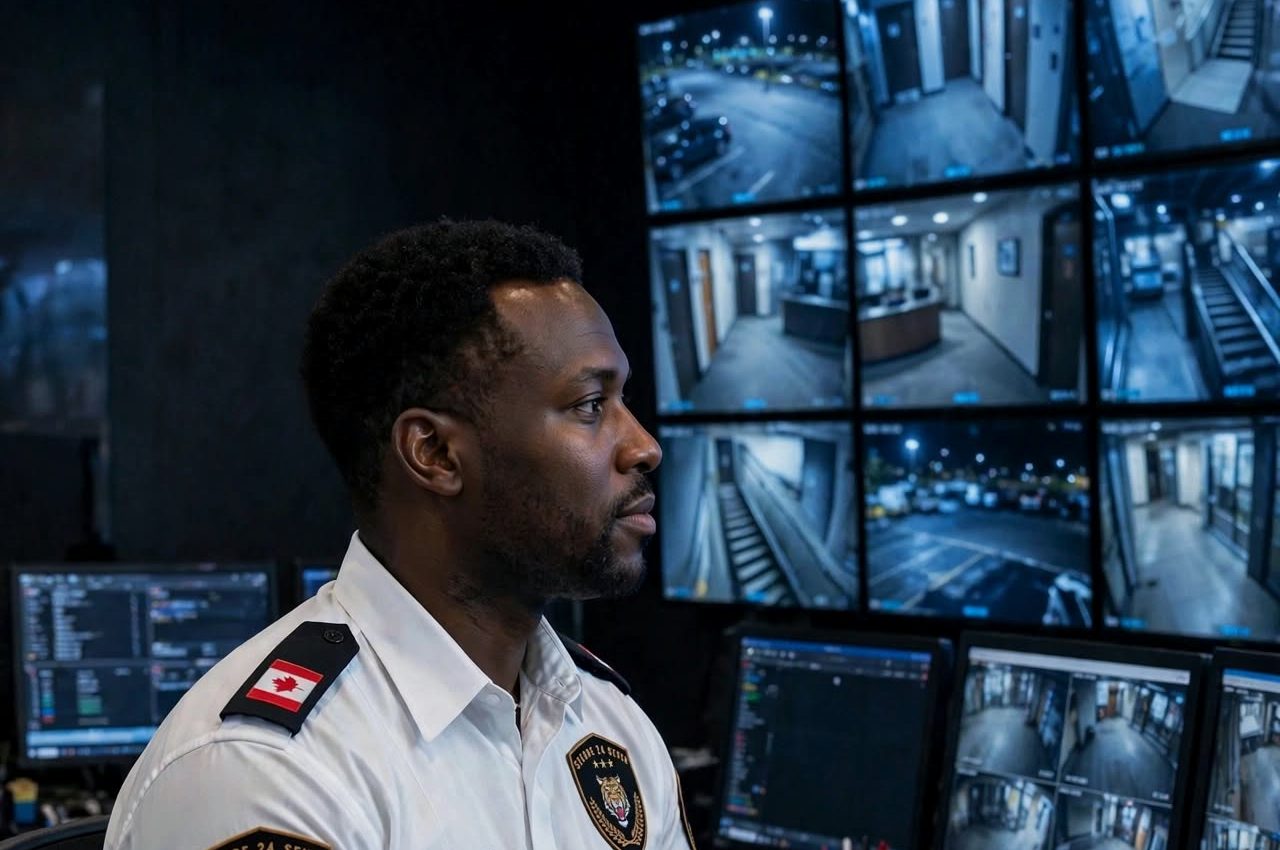
Security operator watching a wall of CCTV monitors in a control room

Screen to street

Guard Dispatch & Alarm Response

A monitor that can send someone

Many monitoring services stop at a phone call. Because Secure 24 Seven also runs guarding, GPS-tracked mobile patrols and alarm response, the person who sees the event and the guard who arrives are working from the same plan.

  1. SignalA camera event or an intrusion alarm reaches the operator.
  2. ConfirmLive video shows what is happening and where to go.
  3. DispatchA licensed guard is sent immediately, briefed on the way with what the cameras show.
  4. SecureThe guard checks the site, secures openings and meets police or your keyholder.
  5. ReportYou receive a digital incident report with photos and the matching clips.

Pair it with alarm response for intrusion panels, or with patrols on construction sites and warehouses.

Event Log

Video monitoring questions

  1. 00:14:02Query

    Can you monitor the cameras I already have?

    Often, yes. It depends on whether your recorder or cloud system supports remote access and event notifications, and on the site’s internet connection. We check compatibility, coverage and camera condition during the free assessment and tell you plainly if anything needs to change.

  2. 01:47:39Query

    What happens when an operator sees someone on my property?

    They follow the response plan you approved: verify, then escalate in the agreed order — a guard dispatched immediately, your keyholder notified, and police called if a crime is in progress. Everything is logged and summarized in your incident report.

  3. 02:31:15Query

    Is remote monitoring a replacement for an on-site guard?

    For some sites, during some hours, it can be. A well-lit yard with good camera coverage may only need monitoring plus a responding guard. Busy sites, places with public contact or ones that need doors opened and visitors checked still need a person on post. We often recommend a mix.

  4. 03:58:44Query

    Do I need signs for my security cameras in Ontario?

    Federal privacy guidance for businesses says people should be told about video surveillance before they enter the monitored area, with a contact for questions. Clear signage is also a deterrent in its own right. For advice on your specific obligations, speak with a privacy lawyer.

  5. 04:20:07Query

    How is remote video monitoring priced?

    Pricing depends on the number of cameras, the hours monitored, how often events are expected and which response options you want behind the screen. After the assessment you receive a written quote that shows each of those choices.

Monitoring Assessment

Find out what your cameras are missing

A free assessment of your site and existing system, with a clear recommendation you can act on — whether or not you monitor with us.

  • Blind spots and camera angles
  • Night lighting and detail levels
  • Signage and privacy basics
  • Response plan and guard backup
Call Us 24/7 Message on WhatsApp

Or email [email protected]

Request a Free Security Quote

Tell us about your security needs — our team will create a custom, affordable protection plan tailored to your site.